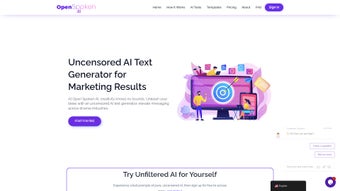

Download Open Spoken AI – Unlimited AI Text Generation Tool for Businesses
Overview
Open Spoken AI is a subscription‑based web application that redefines how businesses create written content. In a digital landscape where many AI platforms impose strict moderation filters, Open Spoken AI removes those barriers, offering truly unrestricted text generation. Whether you are a marketer looking for fresh blog ideas, an e‑learning developer needing engaging course material, or a creator in the adult entertainment space requiring bold, uncensored copy, this tool adapts to your industry without compromising on quality.
The platform’s sleek, browser‑first interface means you can start generating content instantly—no heavyweight downloads or complex installations required. Users simply log in, choose from a suite of specialized writing assistants, enter a topic or prompt, and receive human‑like prose within seconds. The AI models behind Open Spoken AI have been fine‑tuned on diverse datasets, ensuring the output feels natural, context‑aware, and ready for publication.
Additionally, the service bundles AI‑powered chatbots that come pre‑loaded with sector‑specific knowledge, allowing you to automate customer interactions or generate FAQs on the fly. Ready‑to‑use templates further accelerate the workflow, giving you a solid starting point for blog posts, social media captions, product descriptions, and more. By eliminating content constraints, Open Spoken AI empowers creators to explore bold ideas, experiment with tone, and ultimately produce material that resonates with target audiences while staying compliant with internal brand guidelines.
The combination of freedom, speed, and a user‑centric design makes it a compelling addition to any modern content strategy.
Key Features
- Unlimited text generation with no built‑in censorship filters.
- Industry‑specific AI writing assistants for marketing, e‑learning, adult content, and more.
- One‑click template library covering blogs, social media, product copy, and newsletters.
- AI‑driven chatbot integration that can answer FAQs, generate outlines, and provide real‑time assistance.
- Multi‑language support allowing creation in English, Spanish, French, German, and several other languages.
- Context‑preserving memory so the AI remembers prior prompts within a session for consistent tone.
- Secure cloud storage for generated drafts with end‑to‑end encryption.
- Regular model updates that incorporate the latest language research without extra cost.
- Collaboration tools that let teams comment, edit, and approve content directly in the platform.
- Responsive design that works seamlessly on desktop browsers as well as mobile tablets.
Installation, Usage & Compatibility
Getting started with Open Spoken AI is intentionally straightforward. Since it is a web‑based SaaS solution, there is no traditional installation process. Users simply navigate to the official website, create an account, and select a subscription tier that matches their content volume needs. After confirming the payment, the dashboard becomes immediately accessible.
The usage flow follows three intuitive steps: (1) Choose a writing tool from the left‑hand panel—options include “Blog Generator,” “Social Media Booster,” “E‑Learning Scriptwriter,” and “Adult Content Composer.” (2) Enter a clear prompt or topic, optionally adjusting tone, length, and keyword density using the sliders provided. (3) Click “Generate” and watch the AI produce a polished draft within seconds. For more complex projects, the platform supports “Project Mode,” allowing you to break large pieces into sections, set outlines, and iterate with the AI across multiple passes.
Compatibility is universal across modern operating systems because the service runs entirely in the browser. It supports Windows 10/11, macOS Monterey and later, Linux distributions with a recent Chromium‑based browser, as well as mobile platforms such as Android 9+ and iOS 13+. The responsive UI automatically adjusts to different screen sizes, ensuring a consistent experience whether you are working on a desktop workstation or a tablet on the go.
For teams that require tighter integration, Open Spoken AI offers API endpoints that can be called from custom applications, CRM systems, or content management platforms. The API uses standard RESTful conventions with JSON payloads and includes comprehensive documentation for developers. Security‑focused organizations will appreciate the OAuth 2.0 authentication flow and the option to enforce IP whitelisting for API access.
Pros, Cons, FAQ & Final Verdict
Pros
- True unlimited generation without content censorship.
- Specialized writing assistants tailored to niche industries.
- Fast, browser‑based interface eliminates installation hassles.
- Rich template library accelerates content creation.
- Secure cloud storage and end‑to‑end encryption protect drafts.
- Collaborative features support team workflows.
- Regular AI model updates keep the technology current.
Cons
- Subscription cost may be high for freelancers on a tight budget.
- Reliance on internet connectivity; offline mode is not available.
- Advanced features (API access, multi‑user admin) are limited to higher‑tier plans.
- Learning curve for newcomers unfamiliar with AI prompt engineering.
Frequently Asked Questions
Is Open Spoken AI really free of censorship?
Yes. The platform is designed to remove the built‑in moderation filters that many AI services impose, giving you full creative freedom while still adhering to legal standards.
What subscription plans are available?
Open Spoken AI offers a Basic plan ($19.99/month) for up to 50,000 words, a Professional plan ($29.99/month) for 200,000 words, and an Enterprise tier with custom limits and API access.
Can I integrate the tool with my existing CMS?
Yes. Open Spoken AI provides RESTful API endpoints and webhooks that can be connected to popular CMS platforms like WordPress, Drupal, and Contentful.
How does the platform ensure data privacy?
All user data is encrypted both in transit (TLS 1.3) and at rest (AES‑256). Drafts are stored in isolated containers, and you can delete any content permanently with a single click.
Is there a free trial available?
A 7‑day free trial is offered to new users, granting access to all premium features and a generous word‑limit to test the platform before committing.
Conclusion & Call to Action
Open Spoken AI stands out in a crowded AI‑writing market by delivering truly unrestricted content generation paired with industry‑specific tools and a collaborative workspace. While the subscription price may give pause to solo creators, the value gained from unlimited, high‑quality output—and the ability to bypass restrictive filters—makes it a worthy investment for agencies, e‑learning firms, and businesses that need to push creative boundaries. If you’re ready to boost productivity, break free from conventional AI limitations, and harness a next‑generation text generation engine, click the button below to start your free trial and experience the freedom of Open Spoken AI today.



.png)



